
- Posted on
- admin
- No Comments
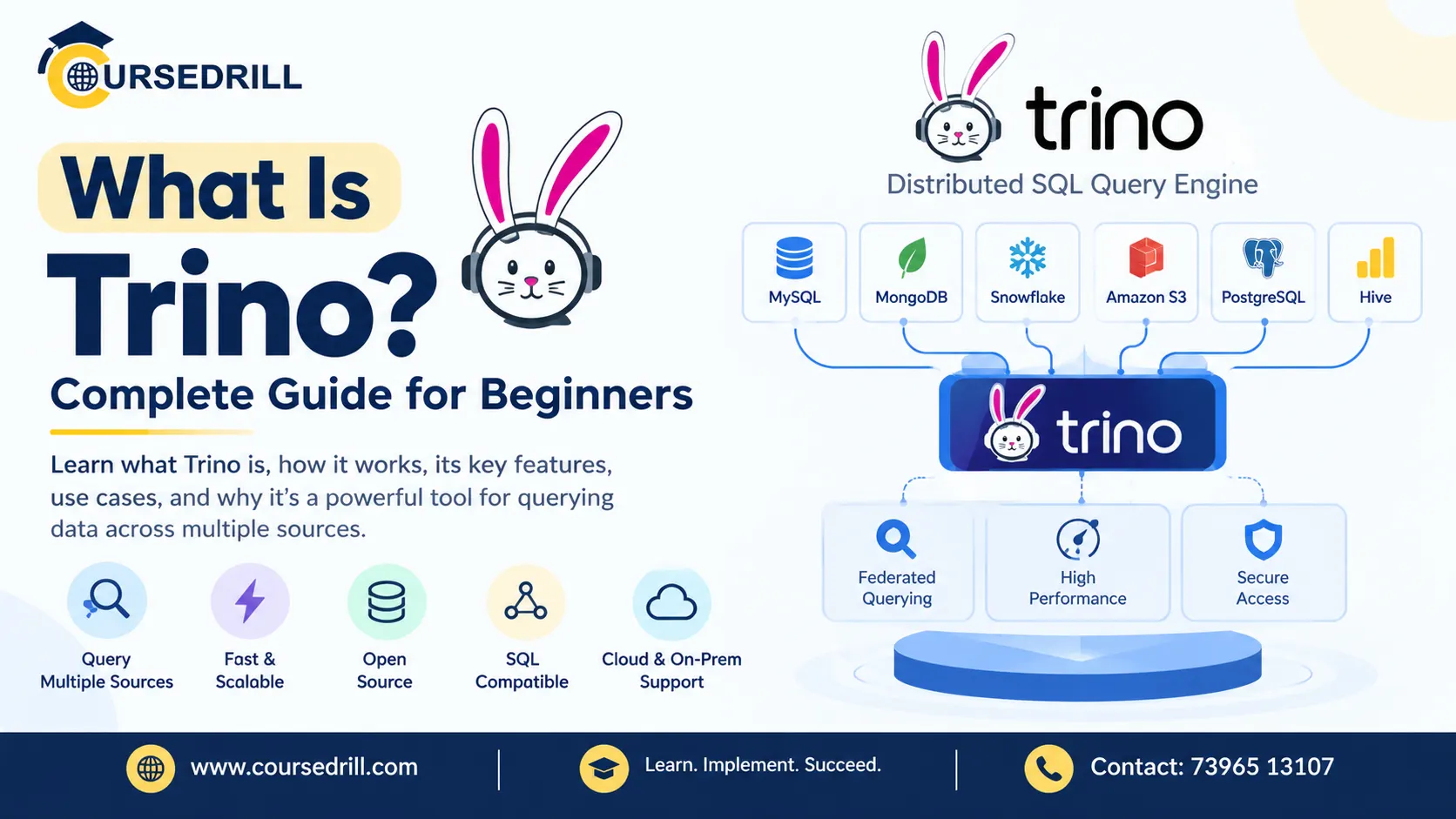
What Is Trino? Complete Guide for Beginners
Most companies past a certain size end up with data scattered across a dozen systems that were never meant to talk to each other. Customer records sit in PostgreSQL. Event data lands in S3 as Parquet files. Product analytics live in a Hive warehouse. Someone in finance still swears by an old MySQL instance nobody’s migrated off. Answering a single business question, “how many customers who signed up last quarter also had a support ticket,” often means exporting data out of three different systems and stitching it together by hand.
Trino exists to make that question answerable with one SQL query, run once, against all three systems at the same time, without moving or copying any of the underlying data first. This guide covers what Trino actually is, where it came from, how its distributed architecture works, and walks through getting a working instance running on your own machine so the concepts stop being abstract.
What Is Trino?
(cite index=”18-1″>Trino is an open-source, distributed SQL query engine designed to query large datasets across diverse data sources at interactive speed. It does not store data itself. Instead, it connects to external data sources through a pluggable connector framework and pushes computation across a cluster of worker nodes to return query results quickly.
That “it does not store data itself” detail is the single most important thing to understand about Trino before anything else. (cite index=”10-1″>Trino can be used to query against big data, relational, and file stores, but it’s important to note that while Trino understands SQL, it is not a general-purpose relational database, nor a replacement for databases like MySQL, PostgreSQL, or Oracle.
Think of it less as a database and more as a universal SQL translator that sits in front of your existing databases, warehouses, and file stores, letting you query all of them through one consistent interface without touching how any of them actually store their data.
(cite index=”14-1″>Trino is a highly parallel and distributed query engine built from the ground up for efficient, low-latency analytics, and the largest organizations in the world use it to query exabyte-scale data lakes and massive data warehouses alike.
Where Trino Came From
Understanding Trino’s history explains a fair amount about how the project is governed and why it’s named the way it is, since the name itself is only a few years old.
(cite index=”12-1″>Presto was created at Meta, then Facebook, in 2012 to solve a specific problem: Meta’s data teams needed a way to run interactive SQL queries across massive HDFS datasets without waiting hours for MapReduce jobs to complete. (cite index=”11-1″>Presto’s original authors were Martin Traverso, Dain Sundstrom, David Phillips, and Eric Hwang, and it was released as open source in November 2013 under the Apache License 2.0.
The project’s governance took a sharp turn a few years later. (cite index=”10-1″>After five years of open-source development, Facebook management wanted more control over Presto, which led the founders to leave Facebook and launch PrestoSQL, which would later be forked and renamed Trino. At the end of 2018, the original creators of Presto left Facebook and founded the Presto Software Foundation to ensure the project remained collaborative and independent. In 2019, the project was forked and became known as PrestoSQL.
(cite index=”11-1″>In December 2020, PrestoSQL was rebranded as Trino, since Facebook had obtained a trademark on the name “Presto,” which it had also donated to the Linux Foundation. (cite index=”12-1″>The result today is two active but distinct projects: Trino, maintained by the original creators and a broad open-source community through the Trino Software Foundation, and PrestoDB, often still called simply Presto, maintained primarily by Meta and Ahana and kept production-hardened for Meta-scale infrastructure.
(cite index=”11-1″>Ahana, a company formed in 2020 to commercialize the PrestoDB fork as a cloud service, was itself acquired by IBM in 2023, adding yet another twist to a lineage that started as one codebase and has since split into genuinely separate projects with separate governance.
If you see “Presto” and “Trino” both mentioned in older tutorials or job listings, this history is why, they share a common ancestor but have been developed independently for several years now, and the differences between them have grown accordingly.
How Trino’s Architecture Works
Trino’s architecture is built around a strict separation of duties between coordination and execution, which is what allows it to scale out across a cluster while still feeling, from the user’s seat, like querying a single database.
Coordinator and Workers
(cite index=”23-1″>A coordinator parses SQL statements, creates distributed query plans, manages worker nodes, and returns final results to clients. Every cluster requires exactly one coordinator. Workers execute tasks and process data, fetching data from connectors, exchanging intermediate results with other workers, and returning processed data back to the coordinator. A cluster can have zero or more workers. (cite index=”26-1″>Coordinators and workers communicate with each other using a REST API, which keeps the architecture straightforward to reason about and debug compared to more tightly coupled distributed systems.
For small deployments or local testing, a single Trino node can actually play both roles at once, acting as its own coordinator and worker, which is exactly the setup you’ll use in the quickstart section below.
Connectors and Catalogs
(cite index=”23-1″>Connectors are adapters that enable Trino to interact with data sources. Each connector implements the Service Provider Interface (SPI) to translate Trino’s query model into source-specific operations, with examples including Hive, PostgreSQL, Iceberg, and over 50 others. Catalogs are named configurations that define how to access a specific data source, each specifying a connector and connection details, and multiple catalogs can use the same or different connectors.
This is the layer that makes federated queries possible. If you configure a postgres catalog pointing at your customer database and a hive catalog pointing at your data lake, a single query can reference tables from both, postgres.public.customers joined against hive.analytics.events, and Trino handles pulling data from each source and combining the results, without either system knowing the other exists.
How a Query Actually Executes
(cite index=”21-1″>A statement can be thought of as the SQL text passed to Trino, while a query refers to the configuration and components instantiated to execute that statement. A query encompasses stages, tasks, splits, connectors, and other components working in concert to produce a result. When Trino executes a query, it breaks up the execution into a hierarchy of stages, resembling a tree, where a root stage aggregates the output of several child stages, each implementing a different part of the distributed query plan.
Going a level deeper: (cite index=”20-1″>a stage is implemented as a series of tasks distributed over a network of Trino workers, and tasks are the actual “work horse” of the architecture. A task operates on splits, which are sections of a larger dataset, and stages at the lowest level of a query plan retrieve data via splits from connectors, while higher-level stages retrieve data from other stages instead. (cite index=”19-1″>A split is a smaller part of a target dataset defined in the connector, and when scheduling a query, the coordinator asks a connector for the full list of splits available for a given table, then distributes those splits across available workers so they can be processed in parallel.
You don’t need to think about stages, tasks, and splits for most everyday queries, but understanding that hierarchy explains why Trino scales the way it does: a query against a billion-row table isn’t one big sequential scan, it’s thousands of small parallel splits processed simultaneously across every worker in the cluster, with results merged back up through the stage hierarchy.
In-Memory, Pipelined Execution
Unlike the MapReduce jobs Trino’s predecessor was built to replace, execution doesn’t write intermediate results to disk between every step. Data flows through operators and between stages largely in memory, in a pipelined fashion, which is precisely what makes interactive, sub-second-to-seconds query latency achievable on datasets that would otherwise take a batch job minutes or hours to churn through.
Key Features
Federated queries across sources. The headline capability: one SQL statement can join data from PostgreSQL, a data lake in S3, a Kafka topic, and a MongoDB collection, all in a single query, without an ETL step to consolidate them first.
ANSI SQL compatibility. Trino speaks standard SQL, joins, aggregations, window functions, subqueries, so analysts and BI tools that already know SQL don’t need to learn a new query language to use it.
A broad connector ecosystem. (cite index=”28-1″>Trino connects to external systems through catalogs and connectors, allowing you to query PostgreSQL, MySQL, Iceberg, Hive, Kafka, object storage, and many other supported data sources from one SQL engine, with common use cases including (cite index=”28-1″>querying multiple databases from a single SQL interface, running distributed analytics across large datasets, querying data lakes and object storage, federating queries across PostgreSQL and MySQL, analyzing Parquet, Iceberg, and Hive-format data, building analytical backends for BI and reporting tools, and running cross-source joins without copying all data into one place.
Cost-based query optimization. Trino’s planner reorders joins, pushes filters down to connectors where possible, and chooses execution strategies based on estimated data size and cardinality, aiming to minimize the amount of data actually moved across the network during execution.
Fault-tolerant execution mode. For long-running batch and ETL-style queries, Trino supports a fault-tolerant execution mode that can retry individual failed tasks rather than restarting an entire query from scratch when a worker drops out, a meaningful reliability improvement for large jobs running over many hours on less-than-perfectly-stable infrastructure.
Security controls. Production deployments typically layer in TLS for network encryption, LDAP or Kerberos for authentication, OAuth2/OIDC integration for SSO, and column- or row-level access control, either through connector-specific permission systems or an external policy engine like Open Policy Agent, so that federated access doesn’t mean bypassing whatever access controls already exist on the underlying sources.
Getting Started: A Hands-On Quickstart
The fastest way to actually understand Trino is to run a query against it, and the official Docker image makes that a two-command exercise.
Step 1: Start a Single-Node Trino Cluster
(cite index=”31-1″>Trino’s official Docker image provides an out-of-the-box single-node cluster with JMX, memory, TPC-DS, and TPC-H catalogs already configured, useful for testing purposes, where the single node functions as both coordinator and worker:
docker run --name trino -d -p 8080:8080 trinodb/trinoGive it a few seconds to finish starting. You can confirm it’s ready by checking the container’s health status:
docker psOnce it shows (healthy) instead of (health: starting), you’re ready to connect.
Step 2: Connect With the Trino CLI
(cite index=”29-1″>The Docker image includes the Trino command-line interface client. Execute it inside the running container to connect to the Trino server:
docker exec -it trino trinoThat drops you into an interactive trino> prompt, talking to the server running inside the same container on port 8080.
Step 3: Run Your First Query
(cite index=”29-1″>The image ships with the tpch catalog, which includes example data, ready to query immediately:
select count(*) from tpch.sf1.nation;(cite index=”29-1″>That returns a result showing 25 rows, along with query execution details like how many splits were processed and how long the query took. That output, splits, timing, node count, is worth paying attention to even in this trivial example, since it’s a small preview of the same execution model that scales up to billion-row federated queries in production.
Try exploring the catalog structure directly:
SHOW CATALOGS;
SHOW SCHEMAS FROM tpch;
SHOW TABLES FROM tpch.sf1;
That three-level naming, catalog.schema.table, is worth internalizing early, since every table reference in Trino follows that pattern, and the catalog portion is exactly what tells Trino which connector and underlying data source to route the query to.
Step 4: Add a Real Catalog
Once you’re comfortable with the built-in test data, connecting to a real data source means adding a catalog properties file. For a PostgreSQL database, that looks like:
connector.name=postgresql
connection-url=jdbc:postgresql://your-db-host:5432/yourdb
connection-user=trino_user
connection-password=your_password
Save that as postgres.properties and mount it into the container’s catalog directory:
docker run --name trino -d -p 8080:8080 \
  --volume $PWD/catalogs:/etc/trino/catalog \
  trinodb/trino
Once mounted and the container restarts, postgres becomes a queryable catalog alongside the built-in tpch one, and you can start writing queries that join across both, which is the moment Trino’s actual value proposition, federation across genuinely different systems, starts to become tangible rather than theoretical.
Trino vs. a Traditional Data Warehouse
It’s worth being direct about what Trino isn’t, since the comparison to a data warehouse comes up constantly for beginners. A data warehouse like Snowflake or a managed Redshift cluster owns its own storage, you load data into it, and it optimizes storage layout specifically for the query patterns you run against it. Trino owns no storage of its own, it’s a compute layer that reaches out to wherever your data already lives.
That tradeoff cuts both ways. You avoid the cost and latency of loading data into a dedicated warehouse before you can query it, and you can query data the moment it lands in your data lake or operational database. In exchange, you’re dependent on the underlying source’s own performance characteristics and don’t get the warehouse’s tightly integrated storage optimizations. For many teams building a modern data lakehouse architecture around open table formats like Iceberg or Delta Lake, this tradeoff is exactly the point, storage stays cheap and open, while Trino provides the fast, SQL-standard query layer on top of it.
Real-World Use Cases
Trino has found its way into some genuinely large-scale production environments. (cite index=”16-1″>At Uber, Presto’s lineage underpins operations teams synthesizing real-time dashboards, and Uber Eats and marketing divisions making pricing decisions, with compliance and growth marketing teams also relying on insights gathered from SQL queries against it.
More broadly, (cite index=”17-1″>the technology has been widely embraced across companies including Uber, Twitter, and Pinterest, thanks to its adaptivity, flexibility, extensibility, and performance across a spectrum of use cases ranging from interactive queries with latencies from seconds to minutes, to batch ETL jobs, to A/B testing. Notably, (cite index=”13-1″>Trino, under its earlier PrestoSQL name, is also the backend powering Amazon’s commercial serverless Athena offering, meaning a huge number of teams using Athena for ad-hoc S3 querying are, likely without realizing it, running on Trino’s engine under the hood.
Common Beginner Mistakes to Avoid
A few habits are worth building early, before they turn into slow, expensive queries at scale:
- Running
SELECT *on large tables out of habit. Trino’s columnar connectors, Parquet and ORC especially, can skip reading columns you don’t select. Selecting only what you need genuinely speeds up queries, it isn’t just good practice for readability. - Ignoring partition columns in filters. If a table is partitioned by date, filtering on that partition column lets Trino prune entire partitions before scanning any data. Skipping that filter means a full table scan even when you only wanted yesterday’s rows.
- Assuming every catalog performs identically. A query against a well-indexed PostgreSQL catalog and a query against a massive unpartitioned Hive table behave very differently under the hood, even though the SQL looks the same. Use
EXPLAINto see the actual query plan before assuming performance will be uniform across catalogs. - Treating Trino as a place to store data. It’s tempting once you’ve written a complex query to want to materialize the result somewhere. Trino can write results into supported connectors like Hive or Iceberg tables, but it isn’t itself a storage system, and treating it like one for anything beyond temporary result tables misunderstands its role in the stack.
Who Should Use Trino?
Trino tends to be the right fit for teams that:
- Have data spread across multiple systems, databases, data lakes, streaming platforms, and want to query all of it through one SQL interface without a heavy ETL pipeline first.
- Are building a data lakehouse architecture around open table formats like Iceberg, Delta Lake, or Hudi, and need a fast, standard-SQL query layer on top.
- Run interactive, ad-hoc analytics where query latency in the seconds-to-minutes range matters more than the deepest possible batch-processing throughput.
- Want to avoid vendor lock-in to a single proprietary data warehouse, since Trino’s connector model keeps you free to swap or add underlying storage systems independently.
- Already use tools like Amazon Athena and want to understand the engine actually running underneath it.
Frequently Asked Questions
Is Trino a database? No. Trino is a query engine, not a database. It doesn’t store data itself, instead connecting to external data sources like PostgreSQL, Hive, or object storage through connectors, and executing SQL queries against them without owning or managing the underlying storage.
What’s the difference between Trino and Presto? They share a common origin. Presto was created at Facebook in 2012 and open-sourced in 2013. In 2019, the original creators forked it as PrestoSQL after leaving Facebook, and in December 2020, PrestoSQL was renamed Trino due to a trademark Facebook held on the Presto name. Trino and PrestoDB (the Meta-maintained fork) have been developed independently since, with different governance and, increasingly, different feature sets.
Can Trino replace my data warehouse? Not exactly, though it can reduce your dependence on one. Trino is a query layer, not a storage system, so it works best alongside your existing data lake or databases rather than replacing the storage layer entirely. Many teams use it specifically to avoid needing a separate proprietary warehouse for every analytics need.
What license is Trino released under? Trino is licensed under the Apache License 2.0, an OSI-approved, permissive open-source license, and is governed by the Trino Software Foundation rather than any single company.
Do I need a cluster to try Trino, or can I run it on one machine? You can run Trino on a single machine for testing and learning, where that one node acts as both coordinator and worker. The official Docker image is set up exactly this way, with sample TPC-H and TPC-DS data included so you can start querying immediately.
Does Trino support joins across completely different databases? Yes, this is one of its core capabilities. As long as each data source has a configured catalog and connector, a single SQL query can join tables across, for example, a PostgreSQL catalog and a Hive catalog, in one statement, without moving data between the two systems first.
Is Trino good for real-time streaming data? Trino has a connector for Kafka and can query streaming data sources, but it’s primarily designed for interactive analytical queries rather than continuous stream processing. For heavy real-time stream transformation, a dedicated stream-processing engine is typically paired alongside Trino rather than used instead of it.
What happened to Ahana, the company that commercialized PrestoDB? Ahana, founded in 2020 to offer a managed cloud service around PrestoDB, was acquired by IBM in 2023, adding another branch to the broader Presto/Trino lineage that split off from the original Facebook project.
Final Thoughts
Trino solves a problem that gets more common, not less, as organizations accumulate more specialized data systems over time: the inability to ask one question across data that lives in several different places without an engineering project to consolidate it first. Its coordinator-worker architecture, pluggable connector model, and standard SQL interface turn that into a single query instead, and the fact that it doesn’t try to also be a storage system is precisely what keeps it flexible enough to sit in front of almost anything.
For beginners, the Docker quickstart above is genuinely the fastest path to understanding the concepts covered in this guide, reading about stages and splits only really clicks once you’ve watched a query actually execute across them. For the authoritative, continuously updated reference on every connector, configuration option, and SQL function Trino supports, Trino’s official documentation is the best place to go deeper.
For more breakdowns of open-source data infrastructure and DevOps tooling like this one, keep exploring the guides on CourseDrill.
Popular Courses

