
- Posted on
- admin
- No Comments
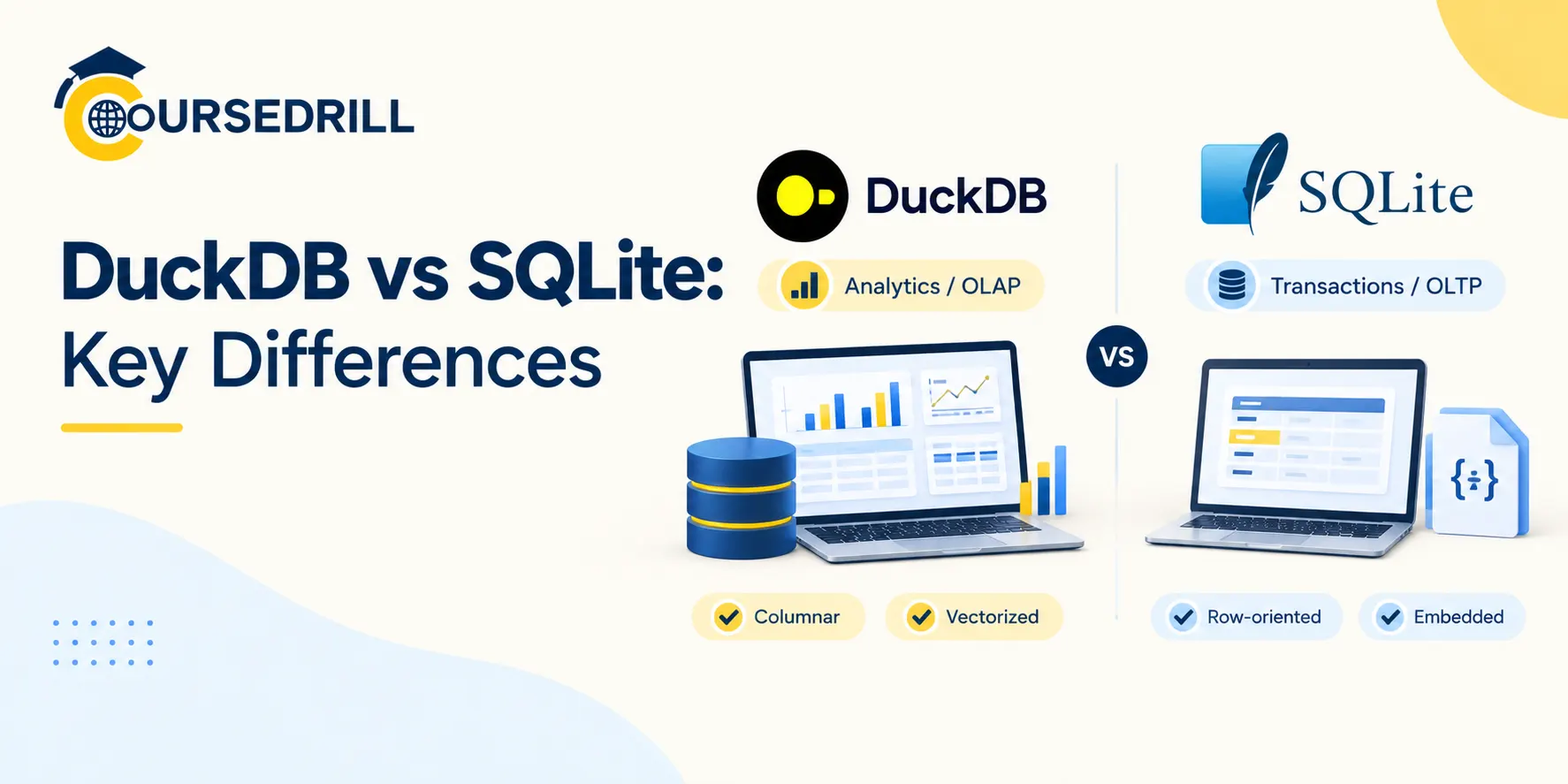
DuckDB vs SQLite: Key Differences
Both of these databases share a design philosophy that sets them apart from almost everything else in the category: no server, no separate process to manage, a single file on disk, and a library you link directly into your own application. That shared “in-process” identity is exactly why people compare them so often, and exactly why the comparison is a little misleading if it stops there. SQLite and DuckDB were built to do fundamentally different jobs, one optimized for transactional, row-at-a-time workloads, the other for analytical, column-at-a-time ones, and that difference runs all the way down to how each one stores a single byte on disk.
If you’re new to DuckDB specifically, our DuckDB tutorial for beginners covers its architecture and a hands-on quickstart in detail. This piece puts DuckDB directly alongside SQLite, the database it’s most often, and most usefully, compared against.
DuckDB vs SQLite at a Glance
| DuckDB | SQLite | |
|---|---|---|
| Created by | (cite index=”52-1″>Hannes Mühleisen and Mark Raasveldt at CWI Amsterdam, first released 2019 | (cite index=”28-1″>D. Richard Hipp, first released August 2000 |
| License | MIT | (cite index=”22-1″>Public domain |
| Storage model | (cite index=”11-1″>Columnar | (cite index=”21-1″>Row-oriented (N-ary Storage Model), organized as B-trees |
| Query execution | (cite index=”11-1″>Vectorized (batch-at-a-time) | (cite index=”36-1″>Bytecode compiled and run by a virtual machine, the VDBE |
| Typing | Stricter, PostgreSQL-inspired static typing | (cite index=”38-1″>Dynamic type affinity; any column can store any value type regardless of its declared type |
| Concurrency | (cite index=”41-1″>Multiple writer threads within a single process via MVCC and optimistic concurrency | (cite index=”26-1″>File-based locking; one write operation at a time, with WAL mode enabling concurrent reads during a write |
| Built for | OLAP: scanning and aggregating large datasets | (cite index=”23-1″>OLTP: fast, small, transactional reads and writes |
| Native file format support | (cite index=”37-1″>Parquet, CSV, JSON, Iceberg, Delta Lake, Arrow, and more | Its own proprietary database file only |
| Best known for | Fast local analytics on large datasets | (cite index=”22-1″>Being the most widely deployed database engine in the world |
| Typical home | (cite index=”26-1″>Data science notebooks, local ETL, embedded analytics | (cite index=”26-1″>Mobile apps, web browsers, embedded application storage |
Two Different Origin Stories
SQLite’s founding story has nothing to do with data analytics at all. (cite index=”28-1″>D. Richard Hipp designed SQLite in the spring of 2000 while working for General Dynamics on a US Navy contract, building software for guided missile destroyers, specifically (cite index=”28-1″>a shipboard damage-control system that needed a reliable, embedded way to store data without depending on a separate database server that could itself become a point of failure at sea. That requirement, reliability and zero external dependencies in an environment where nothing else can be assumed to be running, shaped SQLite’s entire design philosophy from day one.
DuckDB’s origin is almost the opposite kind of problem. (cite index=”52-1″>It was built at CWI, the Dutch national research institute for mathematics and computer science, by researchers Hannes Mühleisen and Mark Raasveldt, purpose-built for efficient analytical querying, specifically targeting the gap between “a full distributed data warehouse” and “nothing at all” for data scientists and analysts working with meaningfully large datasets on a single machine.
Licensing: Two Different Flavors of “Unrestricted”
Both are about as free to use as software gets, but through genuinely different legal mechanisms. (cite index=”28-1″>SQLite’s source code is dedicated entirely to the public domain, and (cite index=”28-1″>that status is actively protected: contributors must sign an affidavit assigning their work to the public domain as well, specifically to prevent copyright contamination and preserve the codebase’s legal purity indefinitely. DuckDB uses the MIT license, a standard, widely understood permissive open-source license rather than a public-domain dedication.
In practice, both impose essentially no restrictions on use, modification, or embedding in commercial software, the difference is more about legal mechanics and philosophy than anything a typical user will ever bump into.
Architecture: B-Trees and a Bytecode VM vs. Columns and Vectors
This is where the two databases genuinely diverge, and it’s worth understanding both sides rather than treating it as a single “DuckDB is columnar, SQLite is row-based” soundbite.
How SQLite Executes a Query
(cite index=”21-1″>A SQLite database stores data in a tuple, or row, oriented file abstraction on top of a page-oriented file, using a single B-tree to organize all the rows of a given table. (cite index=”37-1″>Each table is keyed by rowid and stored as its own B-tree, with a separate B-tree for each index.
Getting from SQL text to an actual result goes through a genuinely distinctive internal design. (cite index=”36-1″>SQLite’s architecture includes compiler modules that translate a SQL statement into a bytecode program made of virtual instructions, which is then executed by a virtual machine called the VDBE, the virtual database engine, the heart of SQLite.
(cite index=”37-1″>The query planner considers available indexes and table statistics to pick a join order and access path, the code generator compiles that plan into VDBE bytecode, and the virtual machine then runs that program, walking the B-trees it needs to touch. (cite index=”30-1″>At a high level, a SQLite query plan is simply a sequence of nested loops, where each loop iterates over the records in a B-tree, a classic, well-understood execution model built for touching relatively few rows quickly rather than scanning millions of them.
How DuckDB Executes a Query
DuckDB takes essentially the opposite approach at every layer. (cite index=”40-1″>It uses a columnar storage engine, purpose-built for OLAP, storing data column by column so a query only has to read the specific columns it actually needs, cutting I/O dramatically compared to a row store that has to touch whole rows regardless of how many columns a query actually references.
(cite index=”44-1″>Execution itself is vectorized, processing batches of rows, called vectors, at once rather than row by row, optimized for CPU cache efficiency, and (cite index=”44-1″>zone maps track lightweight min/max statistics per column chunk so entire chunks can be skipped without being read at all, combined with automatic parallelization across every available CPU core. Where SQLite’s nested-loop VDBE model shines at touching a handful of specific rows fast, DuckDB’s columnar, vectorized, parallel model shines at scanning and aggregating millions or billions of rows fast.
Typing: Flexible vs. Strict
A less-discussed but genuinely practical difference is how each database treats column types. (cite index=”38-1″>SQLite uses a dynamic type system with five storage classes, NULL, INTEGER, REAL, TEXT, and BLOB, where a column’s declared type only determines its “affinity.” Any column can actually store a value of any type, regardless of what type was declared for it.
That flexibility is genuinely convenient for embedded application storage talking to a dynamically typed language, but it’s also a real source of subtle bugs if you’re expecting the stricter guarantees a typical SQL database enforces. DuckDB, by contrast, enforces its declared column types far more strictly, closer to the behavior you’d expect from Postgres, which matters more for analytical correctness, catching a malformed value at write time rather than silently storing it and surfacing a problem much later during analysis.
Concurrency: Similar Ceiling, Different Mechanics
It’s a common assumption that SQLite handles concurrency worse than DuckDB, and the real picture is more nuanced than that.
(cite index=”26-1″>SQLite doesn’t handle high concurrency well by the standards of a client-server database, it uses file-based locking, meaning only one write operation can occur at a time. (cite index=”23-1″>Write-ahead logging, introduced to address this directly, inverts the traditional rollback-journal approach: original pages stay in the database file while modified pages get appended to a separate WAL file instead.
(cite index=”23-1″>WAL mode’s two main advantages are that readers and writers no longer block each other during a commit, and its performance is often significantly better than the older rollback-journal mode, though (cite index=”23-1″>it does carry its own disadvantages, and SQLite maintains a WAL index in shared memory specifically to keep read transactions fast despite the extra indirection that mode introduces.
DuckDB’s concurrency story, covered in detail in our beginner tutorial, ends up at a structurally similar place by a different route: (cite index=”41-1″>multiple writer threads can operate concurrently within a single process via MVCC and optimistic concurrency control, but writing to DuckDB’s native file format from more than one separate process at a time isn’t supported. In both cases, the practical ceiling is the same shape, one writer process (or, for SQLite, effectively one in-flight write transaction) at a time, with concurrent reads handled gracefully.
Neither database is built to be a shared, many-writer backend the way a proper client-server database is, that’s a deliberate tradeoff both made in exchange for being embeddable with zero external dependencies.
Performance Characteristics
The architectural differences above translate into genuinely different performance profiles depending on the shape of your workload. (cite index=”23-1″>SQLite’s row-oriented storage and VDBE execution engine are built for fast online transaction processing, operators acting on individual rows rather than large batches, which is exactly what you want for “look up this one user’s record and update a single field,” the bread-and-butter operation of a mobile app or a browser’s local storage.
Reverse the workload, and the advantage flips sharply. (cite index=”11-1″>Against SQLite specifically, DuckDB’s columnar storage and vectorized, multi-core parallel execution give it a clear advantage for scanning and aggregating large datasets, exactly the kind of query, sum this column across ten million rows, grouped by three others, that a row-oriented, single-threaded engine has to work much harder to answer. Running an analytical aggregation against SQLite isn’t impossible, it’s simply working against the grain of its row-oriented, single-row-at-a-time design, the same way asking DuckDB to perform thousands of tiny, individual point updates per second works against the grain of its columnar, batch-oriented one.
File Format, Ecosystem, and Ubiquity
SQLite’s reach is hard to overstate. (cite index=”26-1″>It powers the database layer for essentially every Android and iOS device, and ships as the embedded storage engine inside Chrome, Firefox, and Safari. (cite index=”22-1″>Its database file format is also one of only four formats the United States Library of Congress recommends for long-term archival storage of datasets, a genuinely rare endorsement for a database file format, and a direct consequence of the format’s stability and backward compatibility: a SQLite file created years ago still opens cleanly in a current version.
DuckDB’s ecosystem story points in a different direction entirely: outward, toward modern analytical file formats rather than toward universal embedding in consumer software. (cite index=”37-1″>It natively supports Parquet, CSV, JSON, Iceberg, Delta Lake, Excel, Avro, and Arrow, formats that barely existed as a category when SQLite was first designed, and that matter specifically because analytical workloads tend to live in exactly those formats today.
Interoperability: DuckDB Can Read SQLite Files Directly
One genuinely useful connection point between the two is worth calling out directly. DuckDB ships a SQLite scanner extension that lets you query an existing .sqlite database’s tables directly from DuckDB’s SQL interface, without exporting anything first. That’s a practical way to run a heavy analytical aggregation against data that normally lives in an app’s SQLite-backed local storage, using DuckDB’s columnar, parallel execution for the analysis while leaving the SQLite file itself as the application’s primary transactional store, untouched and still doing the job it was actually designed for.
Reliability Philosophy and Extensibility
The two projects also take noticeably different approaches to how they grow and how they guarantee correctness, and that’s worth knowing if long-term stability or extensibility is part of your evaluation.
(cite index=”28-1″>SQLite’s testing standards are famously difficult for outside contributors to meet, applying aviation-grade testing rigor rather than typical open-source contribution norms. Hipp’s stated reasoning is that owning and controlling the entire codebase directly is what lets the project guarantee its quality and legal purity over decades, part of why SQLite’s maintainers have historically been reluctant to accept external code contributions at all, preferring to write and test everything in-house against an exhaustive internal test suite.
That conservatism is a feature, not a limitation, for a database embedded in medical devices, aviation systems, and billions of phones where a regression simply isn’t an acceptable risk.
DuckDB has taken a more conventional open-source growth path by comparison, built around a core engine plus a genuinely broad extension system, covered in our beginner tutorial, that lets community and commercial contributors add new file formats, scanners, and capabilities, httpfs, spatial, Iceberg, Delta Lake, and more, without needing to touch or destabilize the core engine itself.
That’s a meaningfully faster way to grow feature coverage, well suited to a tool whose job is keeping up with a constantly shifting landscape of analytical file formats and cloud storage systems, a landscape that didn’t meaningfully exist when SQLite’s design philosophy was first set.
Neither approach is objectively correct, they’re optimized for different goals: SQLite’s conservative, tightly controlled model suits software that needs to be trusted for decades without change, while DuckDB’s extension-driven model suits software that needs to keep pace with a fast-moving ecosystem of new data formats and integrations.
When to Choose SQLite
SQLite tends to be the right choice when:
- You’re building a mobile app, browser extension, or desktop application that needs reliable local storage with zero server setup.
- Your workload is dominated by small, fast, transactional reads and writes, looking up or updating individual records, rather than scanning large amounts of data at once.
- You need an extremely stable, backward-compatible file format for long-term data storage or archival.
- Your application already talks to SQLite via one of its enormous number of existing language bindings and doesn’t need analytical scanning performance.
When to Choose DuckDB
DuckDB tends to be the right choice when:
- You’re doing data analysis, scanning, filtering, and aggregating meaningfully large datasets rather than looking up individual rows.
- You want to query CSV, Parquet, Iceberg, or Delta Lake files directly without a separate import step.
- You’re working in Python, R, or another data science environment and want SQL’s expressiveness without leaving that environment or spinning up a server.
- You want to take advantage of multiple CPU cores automatically for a query, something SQLite’s single-threaded execution model doesn’t offer.
Frequently Asked Questions
Is DuckDB a replacement for SQLite? Not really, they’re built for different jobs. SQLite is optimized for transactional, row-at-a-time workloads like mobile app storage, while DuckDB is optimized for analytical, column-at-a-time workloads like scanning and aggregating large datasets. Many applications use both: SQLite for operational storage, DuckDB layered on top for analysis.
Which one is faster? It depends entirely on the workload. For small, individual row lookups and updates, SQLite’s row-oriented, bytecode-executed design is typically faster and lighter. For scanning and aggregating large amounts of data, DuckDB’s columnar, vectorized, multi-core execution is typically dramatically faster, since SQLite’s single-threaded, row-at-a-time model isn’t built for that pattern.
Can DuckDB read a SQLite database file directly? Yes, through a SQLite scanner extension that lets you query an existing SQLite database’s tables directly from DuckDB SQL, without needing to export or convert the data first.
Does SQLite support concurrent writes? Not truly concurrent ones. SQLite allows only one write operation at a time, enforced through file-based locking. Write-ahead logging (WAL) mode improves on the older rollback-journal approach by letting reads continue uninterrupted while a write is being committed, but writes themselves remain serialized.
Why is SQLite’s typing described as flexible? SQLite uses a system called type affinity, where a column’s declared type is more of a hint than an enforced rule. Any column can actually store a value of any of SQLite’s five storage classes regardless of its declared type, which is convenient for applications written in dynamically typed languages but offers less strict correctness guarantees than a database with enforced static typing.
Is one of these more open source than the other? Both are effectively unrestricted. SQLite’s source code is dedicated to the public domain, with contributors required to sign an affidavit preserving that status. DuckDB uses the MIT license, a standard permissive open-source license. Neither imposes meaningful restrictions on use or embedding in commercial software.
Which one should I use for a mobile app? SQLite, without much debate. It’s specifically designed for exactly this use case, has decades of production hardening across essentially every mobile platform, and its row-oriented, transactional design matches how a typical mobile app actually reads and writes data.
Which one should I use for analyzing a large CSV or Parquet file? DuckDB. Its columnar storage, vectorized execution, and native support for reading those formats directly, without an import step, make it the far better fit for scanning and aggregating that kind of data.
Final Verdict
The comparison that matters here isn’t “which database is better,” it’s “which workload are you actually running.” SQLite earned its place as the most widely deployed database in the world by being exceptionally good at small, fast, transactional operations with zero operational overhead, the exact job a missile destroyer’s damage-control system, and later billions of mobile apps and browsers, actually needed. DuckDB earned its own fast-growing niche by bringing that same embedded, zero-server philosophy to the opposite kind of workload, scanning and aggregating serious amounts of analytical data on a single machine.
If you’re choosing between them for a new project, the honest answer is usually to ask which kind of query you’ll be running most, individual record lookups or large-scale aggregation, rather than picking one as a general-purpose default. For the authoritative, continuously updated reference on either database, SQLite’s official documentation and DuckDB’s official documentation are both excellent starting points, and our DuckDB tutorial and MotherDuck guide cover where DuckDB goes once a single machine stops being enough.
For more breakdowns of open-source data infrastructure and analytics tooling like this one, keep exploring the guides on CourseDrill.
Popular Courses

