
- Posted on
- admin
- No Comments
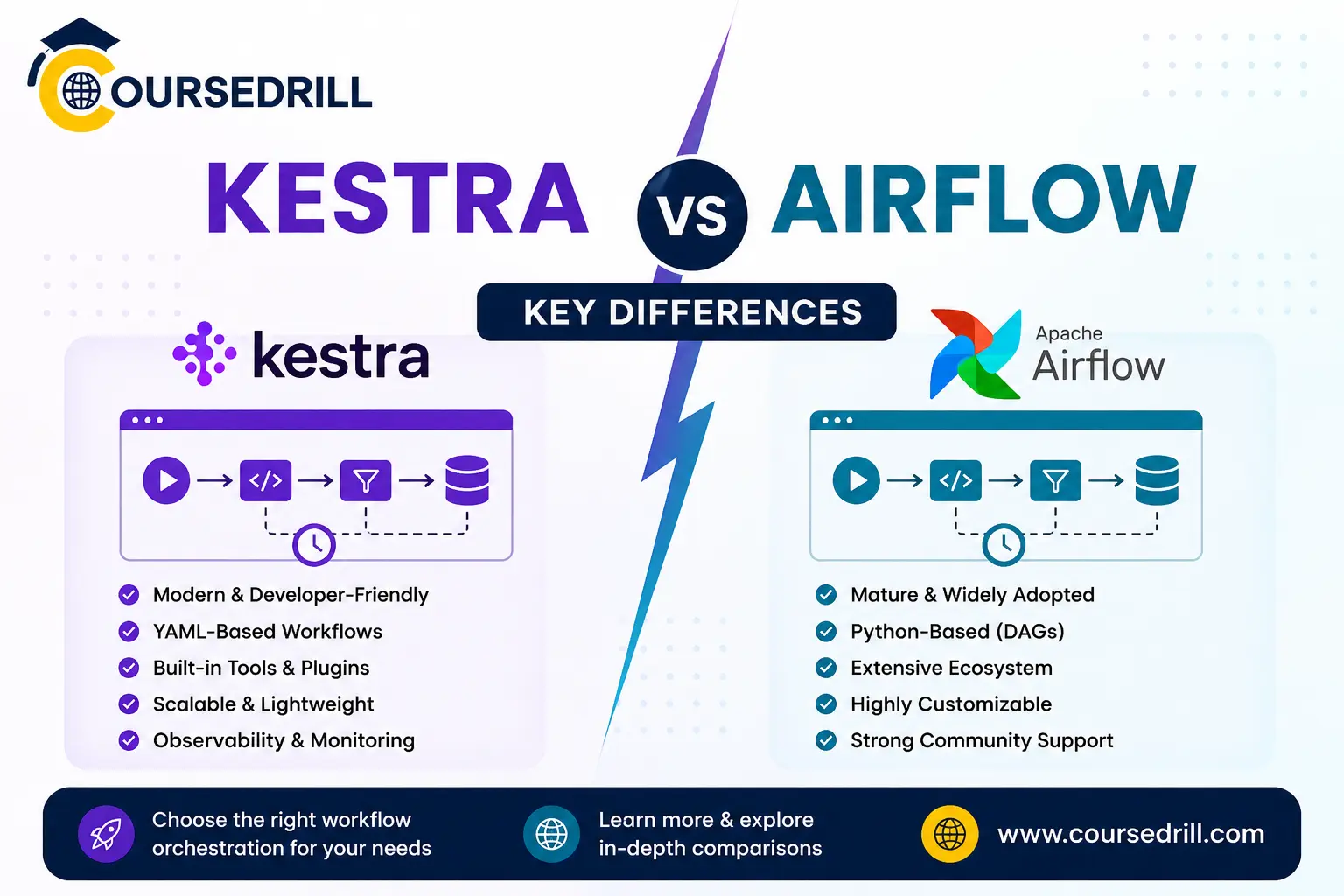
Kestra vs Airflow: Key Differences
Kestra vs Airflow compared: workflow definition language, setup complexity, scheduling, plugins, and which orchestration tool fits your team.
Picking a workflow orchestrator usually comes down to two names once you start researching: the long-standing default, Apache Airflow, and the newer, YAML-first challenger, Kestra. Both solve the same broad problem, scheduling and running multi-step workflows reliably, but they take genuinely different approaches to get there. This comparison breaks down exactly where Kestra and Airflow diverge, so you can figure out which one actually fits your team.
Kestra vs Airflow Overview
Understanding Kestra vs Airflow starts with where each one came from. Airflow has been the default choice for data pipeline orchestration since its release in 2014 (originally built at Airbnb), and it remains one of the most widely deployed orchestration tools in the industry. Workflows in Airflow are defined as DAGs (directed acyclic graphs) written in Python, giving engineers full programmatic control over pipeline logic.
Kestra is a newer, open-source orchestration platform built around a different premise: workflows defined declaratively in YAML rather than a programming language, with a modern, API-first architecture designed from the ground up rather than evolved over a decade. If you haven’t read our full breakdown yet, our What is Kestra guide covers its core concepts in more depth than this comparison will.
Both are legitimate, production-grade tools used by real companies at scale. The right choice depends heavily on your team’s makeup and what you’re actually trying to orchestrate.
Workflow Definition: YAML vs Python
This is the single biggest difference between the two tools, and it shapes almost everything else about how each platform feels to use.
Airflow requires you to write DAGs in Python. A pipeline is defined as a Python file, with tasks as functions or operator instances, and dependencies expressed through Python syntax (task_a >> task_b, for instance). This gives you the full expressive power of a real programming language: loops, conditionals, custom classes, and access to any Python library you want to import directly into your DAG logic.
Kestra defines workflows as YAML files, listing tasks, their configuration, and any triggers declaratively rather than programmatically. There’s no need to understand Python syntax, decorators, or import statements just to read or modify a flow. Custom logic, when you need it, gets embedded inside specific tasks (a Python or shell script task, for example) rather than driving the entire workflow structure.
The practical impact: a YAML flow in Kestra is typically readable by someone without a software engineering background, while an Airflow DAG generally requires Python literacy to safely modify. Teams with a mix of technical and less-technical stakeholders often find Kestra’s approach lowers the barrier to who can maintain workflows day to day. Teams that want maximum programmatic flexibility, complex branching logic, or heavy custom Python logic driving the pipeline structure itself often find Airflow’s code-first model more natural.
Setup and Operational Complexity
Airflow’s operational reputation is a common pain point teams cite. A production Airflow deployment typically requires a scheduler, a webserver, a metadata database, and (depending on your executor choice) a message broker like Redis or RabbitMQ for distributing tasks across workers. Getting all of these components configured, monitored, and upgraded together is a real, ongoing operational commitment, one that has spawned an entire ecosystem of managed Airflow offerings specifically because self-hosting it well is genuinely hard.
Kestra was built with a simpler operational footprint as an explicit goal. A local instance can be running through a single Docker command in under a minute, and even production deployments tend to involve fewer moving parts, since Kestra’s architecture was designed for containerized environments from the start rather than adapted to them later. That said, running any orchestrator reliably at real production scale still requires genuine infrastructure investment, Kestra included, particularly around the database backend and execution scaling.
Scheduling and Triggers
Both tools support cron-based scheduling as a baseline, but their trigger models diverge beyond that.
Airflow’s scheduler evaluates DAGs based on defined schedule intervals, and more recent versions have added dataset-aware scheduling, where a DAG can trigger based on another DAG producing a specific dataset, rather than a fixed time alone.
Kestra’s trigger system is broader out of the box, supporting schedule triggers, flow triggers (one flow kicking off another on completion), webhook triggers, and event-based triggers tied to external systems like message queues or file arrivals in cloud storage. This event-driven flexibility is baked into Kestra’s core trigger model rather than added as a supplementary feature.
For teams whose pipelines are purely time-based, this difference may not matter much. For teams building event-reactive automation, files landing in storage, messages arriving on a queue, or one system signaling another, Kestra’s trigger model tends to require less custom plumbing to achieve the same result.
Plugin and Integration Ecosystem
Airflow has a decade-long head start here, and it shows. Its provider package ecosystem covers an enormous range of integrations, cloud platforms, databases, SaaS tools, and internal systems, built up by a large community over many years. If you need to integrate with an obscure or older enterprise system, there’s a reasonable chance someone has already built an Airflow provider for it.
Kestra’s plugin ecosystem is younger but growing quickly, covering the major cloud providers, common databases, popular messaging systems, and notification tools out of the box. For mainstream integrations, most teams will find what they need. For very niche or legacy systems, Airflow’s longer track record gives it a real edge in raw plugin coverage, at least for now.
User Interface and Observability
Airflow’s UI shows DAG run history, task status, logs, and a graph view of task dependencies. It’s functional and has improved significantly over the years, though many long-time users describe it as more utilitarian than polished, reflecting its Python-and-backend-engineer-first design origins.
Kestra’s UI is often cited as one of its strongest selling points. It includes a visual topology view of each flow, real-time execution logs, a built-in YAML editor with validation, and a clean timeline view of every run. Because Kestra was designed with the UI as a first-class part of the product from day one, rather than added onto an already-mature backend, the overall experience tends to feel more modern and approachable, particularly for less technical users trying to understand what a pipeline actually did.
Execution Model and Scalability
Airflow supports multiple executor types, Local, Celery, Kubernetes, and others, letting you choose how tasks are actually distributed and run. The Kubernetes executor, in particular, is a common production choice for teams wanting isolated, scalable task execution. Airflow’s scaling model is well understood and battle-tested across thousands of production deployments.
Kestra similarly supports multiple execution models, including local execution and Kubernetes-based task pods, letting flows scale horizontally in production while remaining simple to run locally during development. Because Kestra’s architecture is newer, it was built with distributed, cloud-native execution patterns in mind from the outset, rather than retrofitted, though it naturally has less large-scale production mileage behind it than Airflow’s decade of real-world deployment history.
Backfills and Historical Reprocessing
Both tools support backfilling, re-running a workflow across a historical date range, a common need when a bug is fixed and past data needs reprocessing.
Airflow’s backfill functionality is mature and well-documented, reflecting years of real-world use across data teams handling exactly this kind of historical reprocessing at scale.
Kestra also supports backfills, accessible directly through its UI, letting you select a date range and trigger reprocessing without needing command-line tooling. The experience is generally considered more approachable for less technical users, though Airflow’s longer history means more edge cases have been encountered and documented by its community over time.
Community, Maturity, and Long-Term Support
This is where Airflow’s decade-long head start matters most. It has a massive community, extensive documentation, countless Stack Overflow answers covering nearly every edge case, and is maintained under the Apache Software Foundation, giving it a level of institutional backing and long-term stability that’s hard for any newer tool to match immediately.
Kestra is actively developed and growing quickly, with an engaged open-source community and commercial backing from Kestra the company, but it simply hasn’t existed as long. For teams prioritizing absolute maturity and the reassurance of a decade of production battle-testing across thousands of companies, that difference is a real factor. For teams comfortable adopting a faster-moving, modern tool with strong momentum, Kestra’s growth trajectory is a reasonable bet.
Licensing and Cost
Both Airflow and Kestra’s core platforms are open source and free to self-host. Airflow is released under the Apache 2.0 license and governed by the Apache Software Foundation. Kestra’s core is also open source, with a separate enterprise edition and managed cloud offering providing additional features like advanced access control and dedicated support for larger organizations.
For managed hosting, Airflow has a mature market of third-party managed offerings (including major cloud providers’ managed Airflow services) built up over years. Kestra’s managed cloud offering is newer but growing, aimed at teams wanting to avoid self-hosting the control plane themselves.
When to Choose Airflow
Airflow tends to be the stronger choice when:
- Your team is entirely comfortable writing and maintaining Python code, and wants maximum programmatic control over pipeline logic
- You need integrations with very specific or legacy enterprise systems where Airflow’s mature provider ecosystem has an existing solution
- Your organization values the reassurance of a decade-plus of production track record across a huge number of companies
- You’re already invested in Airflow, with existing DAGs, institutional knowledge, and tooling built around it
When to Choose Kestra
Kestra tends to be the stronger choice when:
- You want workflows readable and maintainable by people beyond your Python engineers, analysts, platform teams, or less technical stakeholders
- You’re starting a new orchestration project without existing Airflow investment weighing the decision
- Event-driven triggers (webhooks, file arrivals, cross-flow triggers) are a core part of what you’re automating, not just scheduled batch jobs
- You want a simpler operational footprint and a faster path from zero to a working local setup
- Your automation needs extend beyond pure data pipelines into infrastructure or business process automation, areas where Kestra’s general-purpose design fits naturally
Can You Migrate from Airflow to Kestra?
Some teams do migrate, though it’s rarely an instant, automated process. Since the two tools use fundamentally different definition languages (Python DAGs versus YAML flows), migration typically means manually rewriting pipeline logic as YAML flows rather than a simple find-and-replace conversion. Kestra provides some tooling and documentation to help ease this transition, but any non-trivial Airflow deployment with years of accumulated DAGs represents a real migration project, not a weekend task.
Many organizations instead choose to run both in parallel during a gradual transition, moving new workflows to Kestra while leaving stable, working Airflow DAGs untouched until there’s a clear reason to migrate them specifically.
Frequently Asked Questions
These are the questions that come up most often once people start actually weighing Kestra vs Airflow for a real project.
Is Kestra a direct replacement for Airflow? For many use cases, yes, particularly for teams starting fresh or prioritizing accessibility over Python’s full programmatic flexibility. For teams with deep, complex Python-driven DAG logic and years of Airflow-specific tooling built up, a full replacement is a bigger undertaking.
Which tool is easier to learn? Kestra generally has a gentler learning curve, since YAML is more approachable than learning Airflow’s Python DAG API, operators, and scheduler concepts together. Airflow requires comfort with Python and its specific DAG-authoring patterns before you can build much of anything.
Which tool has better performance at scale? Both can scale to handle large numbers of workflows and tasks, given appropriate infrastructure. Airflow has more documented, real-world examples of massive-scale deployments simply due to its longer history. Kestra’s architecture was designed with modern, distributed execution in mind, but has less publicly documented large-scale deployment history to compare against directly.
Does Kestra support Python at all? Yes. While flows themselves are defined in YAML, individual tasks can run Python scripts directly, letting you combine YAML’s readability for overall structure with Python’s flexibility for specific custom logic where you need it.
Is one tool cheaper than the other? Both have free, open-source, self-hosted options with no licensing cost. Actual cost depends on your infrastructure choices and whether you use a managed offering from either ecosystem. Airflow’s managed hosting market is larger and more mature, giving you more vendor options to compare pricing across.
Can I use both Airflow and Kestra together? Yes, and some organizations do exactly this during a transition period, or simply because different teams within the same company have different needs. Kestra’s flow triggers can even be configured to react to events from external systems, which can include signals from an existing Airflow deployment if needed.
Final Verdict
There’s no universal winner in the Kestra vs Airflow debate, neither tool is objectively “better,” they’re built around different priorities. Airflow offers unmatched maturity, a massive plugin ecosystem, and full Python programmability, at the cost of a steeper learning curve and more operational overhead. Kestra offers a dramatically more approachable YAML-first model, a modern UI, and a simpler setup experience, at the cost of a shorter production track record and a smaller (though fast-growing) plugin catalog.
If you’re starting a new project and value accessibility, faster setup, and workflows that non-engineers can actually read, Kestra deserves serious consideration. If you need the full expressive power of Python, have complex integration needs Airflow’s ecosystem already solves, or simply want the reassurance of a decade of production use across thousands of companies, Airflow remains a solid, proven choice.
For a deeper look at each tool individually, see our full guides on What is Kestra and check the Kestra vs Airflow comparison in the official Kestra documentation for the vendor’s own technical perspective on the differences covered here.
Popular Courses

